Cybersecurity

What is a phishing attack and how can you protect yourself from it?

March 24, 2026 · 6 min read

What is a phishing attack and how can you protect yourself from it?

After reading this article, you will be able to better understand:

  • What a phishing attack is and how it works
  • The different types of phishing
  • The Motives Behind Phishing
  • Implications for SMEs
  • How to protect yourself from phishing

Phishing is like fishing

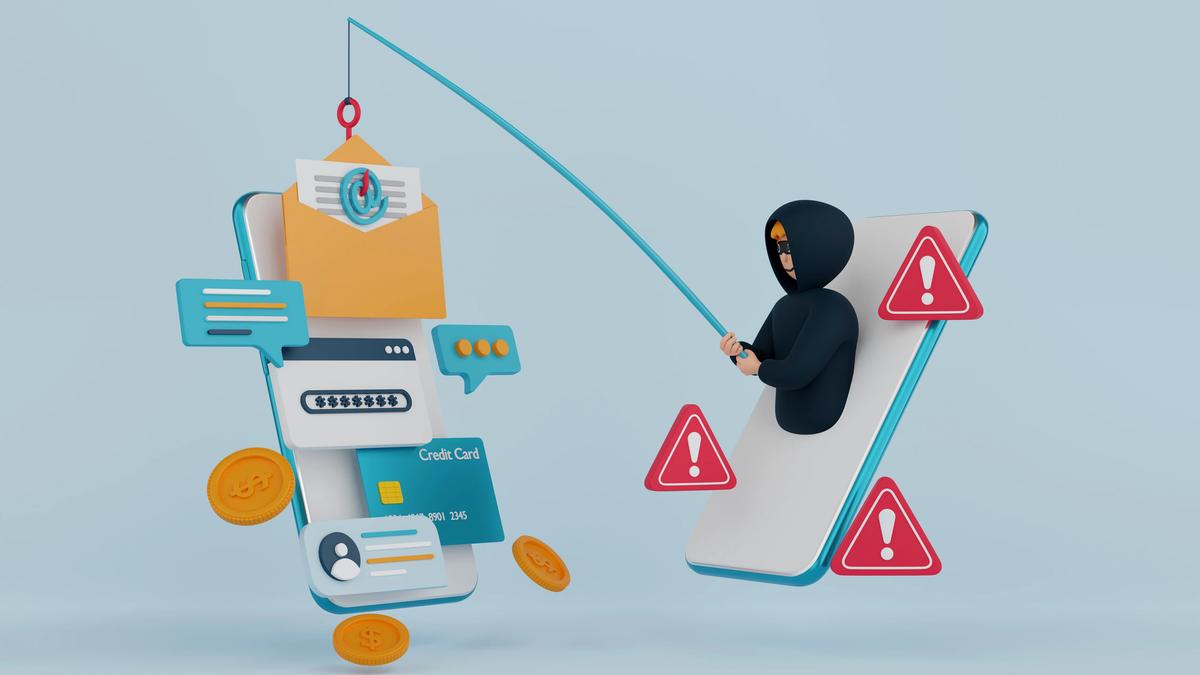
Phishing is one of the oldest and most documented cyberattacks. It takes its name from the English word "fishing," which means to fish, and has been translated into French as "hameçonnage," due to the hooks used to catch fish.

In phishing, the user is the fish, and the cybercriminal is the fisherman. The cybercriminal uses various means to trick the user into committing an act that will allow them to transmit valuable confidential information or download malware.

This method is extremely widespread in the professional world. Did you know that 97% of people are unable to identify a sophisticated phishing email? This is why employee training is so important. Learn about essential security practices to protect your organization.

How does a phishing attack work?

The cybercriminal sends an email to a large number of users. The email appears to come from a trusted source, such as a bank, government agency, or well-known company. The message typically creates a sense of urgency, asking the recipient to click on a link or download an attachment.

Once the user clicks on the link or downloads the attachment, they are redirected to a fake website that looks identical to the legitimate one. The user is then asked to enter their login credentials, credit card information, or other sensitive data.

The cybercriminal now has access to this information and can use it for fraudulent purposes. They may also install malware on the user's device, giving them access to even more data. Implementing endpoint protection can help prevent these attacks.

Types of phishing attacks

There are several types of phishing attacks, each with its own characteristics:

  • Email phishing: The most common type, where attackers send fraudulent emails to large groups of people
  • Spear phishing: Targeted attacks aimed at specific individuals or organizations
  • Whaling: Attacks targeting high-profile individuals like CEOs or executives
  • Smishing: Phishing via SMS text messages
  • Vishing: Voice phishing conducted over the phone

The motives behind phishing

Phishing is rarely an end in itself. Cybercriminals typically use it to:

  • Steal login credentials, especially for email and cloud accounts
  • Obtain financial information such as credit card or banking details
  • Collect personal data, such as dates of birth or copies of ID documents, for identity theft
  • Install malware or ransomware on a company's network
  • Divert payments by impersonating a supplier, client or executive

Implications for SMEs

SMEs are attractive targets because they often have fewer security controls and less dedicated IT staff than large organizations, while still handling valuable data and payments. A single compromised mailbox can be used to send fraudulent invoices to clients, access shared files or reset passwords on other services.

Beyond the direct financial loss, a successful attack can disrupt operations, damage customer trust and, in Québec, trigger obligations under Law 25 when personal information is involved.

How to recognize a phishing attempt in 5 steps

Even with good filters, some phishing emails will reach your inbox. These five checks help you spot them before any damage is done.

1. Check the sender

Phishing emails try to impersonate companies you know and trust, such as Google, PayPal or Dropbox. Hover over the sender's name to reveal the real address, and look closely at the domain after the @. Addresses like these should raise red flags:

  • google@sap-login.co
  • dropbox@dropbox-online.net
  • noreply87754373838@paypal-service.com

The brand name appears in each address, but the domain does not belong to the company.

2. Read carefully

Typos, spelling mistakes and awkward grammar are classic warning signs. A generic greeting such as "Dear customer" instead of your name should also make you cautious, since most legitimate companies personalize their messages. Keep in mind that a well-crafted phishing email can be error-free, so a clean message is not proof that it is genuine.

3. Analyze the tone and the request

Be wary of a threatening, alarming or unusually urgent tone: phishing messages try to push you to act before you think. Typical traps include:

  • A claim of suspicious activity or a login on your account
  • A fake invoice
  • A request to verify your personal information
  • A link to complete a payment
  • A promise of government assistance or a tax refund
  • A free offer or discount coupon
  • A supposed problem with your account or payment method

4. Don't click: verify instead

Hover over any link to see its real destination before clicking. Even when it looks right, it is safer to reach the company by typing its web address yourself, using a bookmark, or calling a phone number you already know. Never open unexpected attachments, especially ones that ask you to enable macros or sign in to view the content.

5. Report it

Inside your organization, report suspicious emails to your IT team or managed service provider, using your email client's reporting button if one is available. A quick report lets them block the sender and warn colleagues who may have received the same message.

In Canada, phishing and fraud attempts can also be reported to the Canadian Anti-Fraud Centre, by phone at 1-888-495-8501 or through its online reporting system.

How to protect yourself from phishing

Protecting yourself from phishing requires a combination of technology and awareness:

  1. Train your employees: Regular training sessions can help employees recognize phishing attempts
  2. Use email filters: Advanced email filtering can block many phishing emails before they reach users
  3. Enable multi-factor authentication: This adds an extra layer of security even if credentials are compromised
  4. Keep software updated: Regular updates patch security vulnerabilities
  5. Verify suspicious requests: Always verify unusual requests through a separate communication channel

If you're looking for comprehensive IT security support, consider working with a managed IT service provider who can implement these protections for you.

What to do if you clicked on a phishing link

Mistakes happen. What matters is reacting quickly:

  1. Disconnect the device from the network if you downloaded a file or suspect malware.
  2. Change the password of the affected account from another, trusted device, along with any other account where you reused it.
  3. Alert your IT team or provider right away so they can check for suspicious activity.
  4. Watch your accounts and bank statements for unusual transactions.

Reporting quickly, without fear of blame, is the best way to limit the damage.

Nexxo can help protect you from phishing attacks

With extensive experience in cybersecurity for Quebec businesses, Nexxo can help you implement comprehensive anti-phishing measures. Contact us today for a free consultation.

Learn more about our cybersecurity services for Québec SMEs.

← Back to Blog